
How to play
You start as a speck and grow by absorbing what is smaller, one body at a time, from dust at LV 0 to a living world and on to LV 10.

Begin and steer
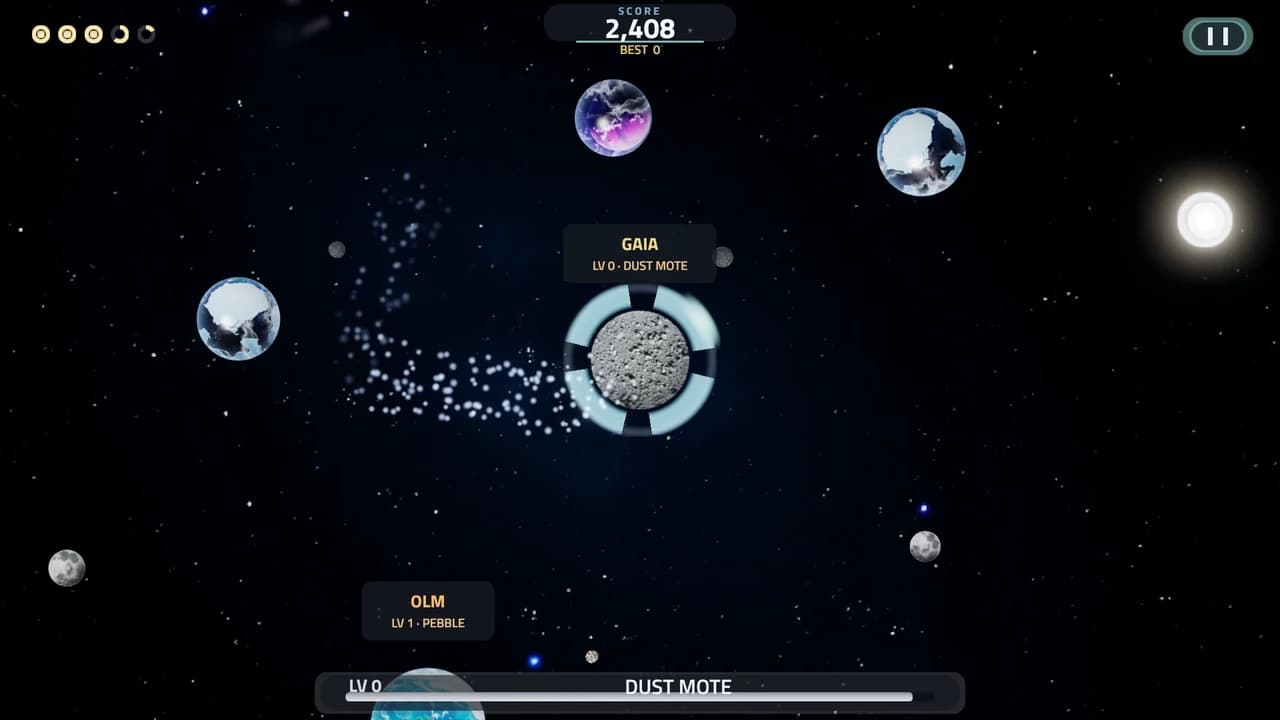
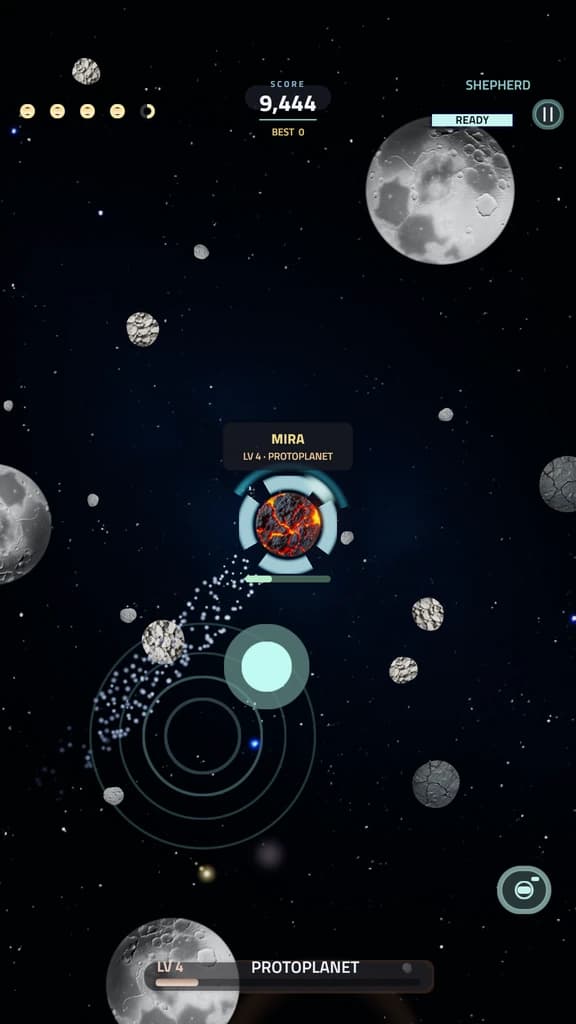
You start as a mote of dust. Drag to steer with touch or a mouse, or use WASD and the arrow keys. You carry momentum, so you turn and drift like a real body rather than stopping dead.
Absorb and grow
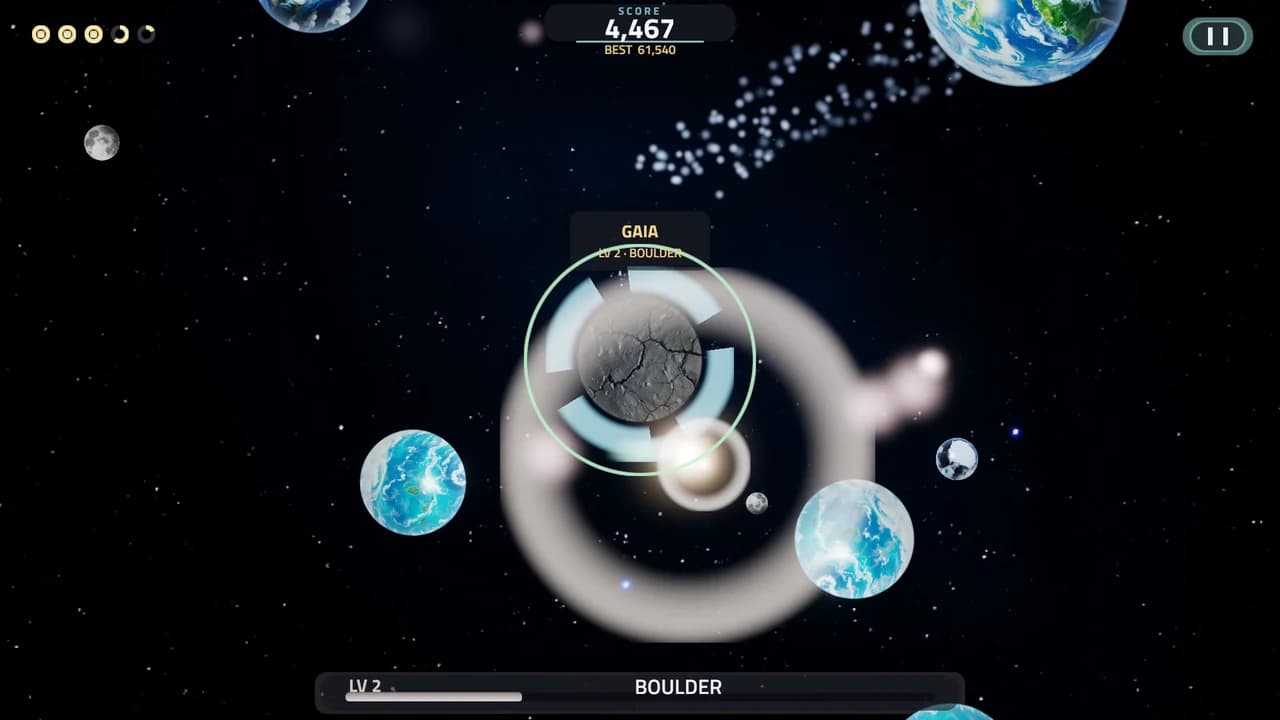
Touch anything smaller than you and it sticks and adds mass. Stay clear of anything bigger: a hit breaks you apart and costs a life.
Capture moons
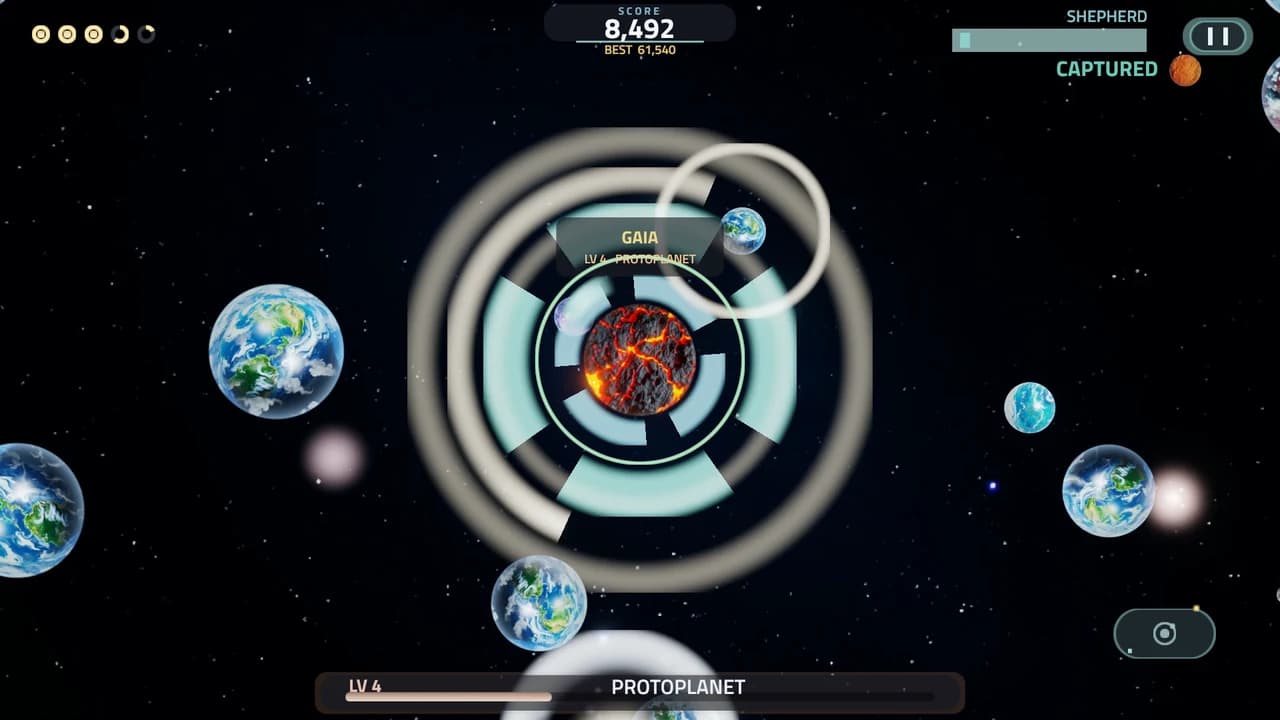
Unlock Shepherd and pull a smaller body into orbit. Your moons shield you from hits and widen your gravity, so more of the field drifts your way.
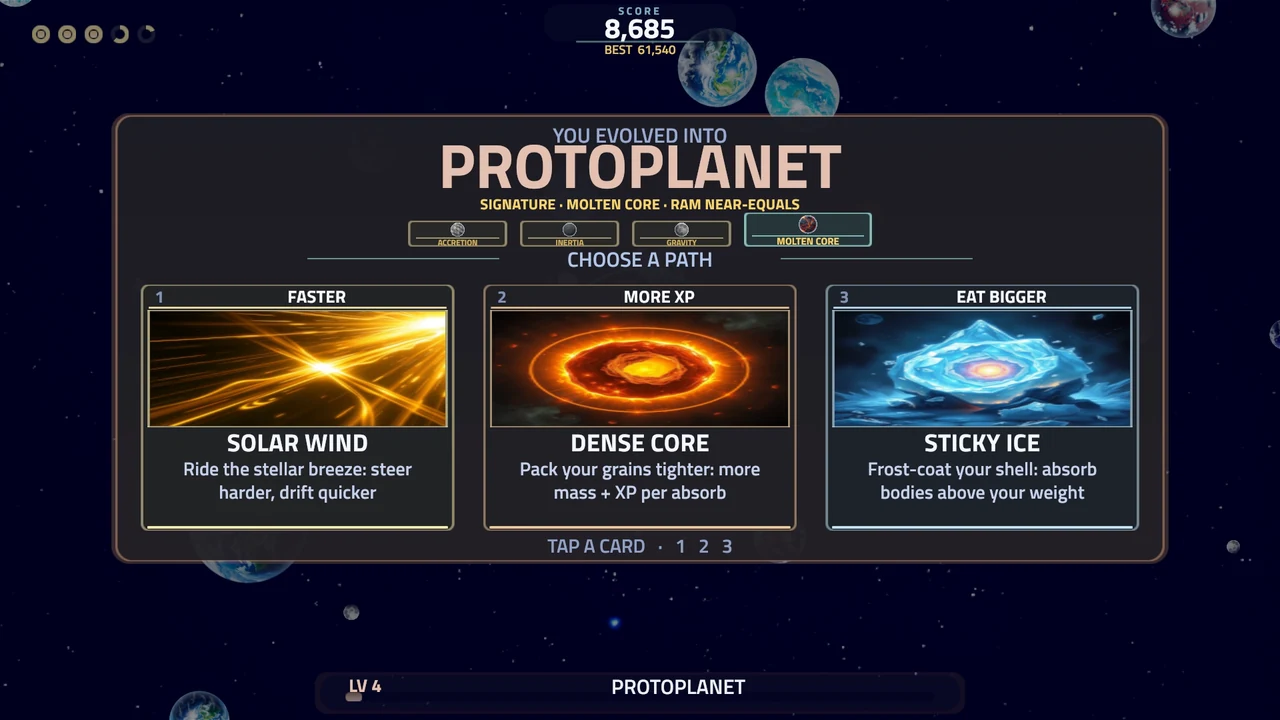
Evolve, choose a path
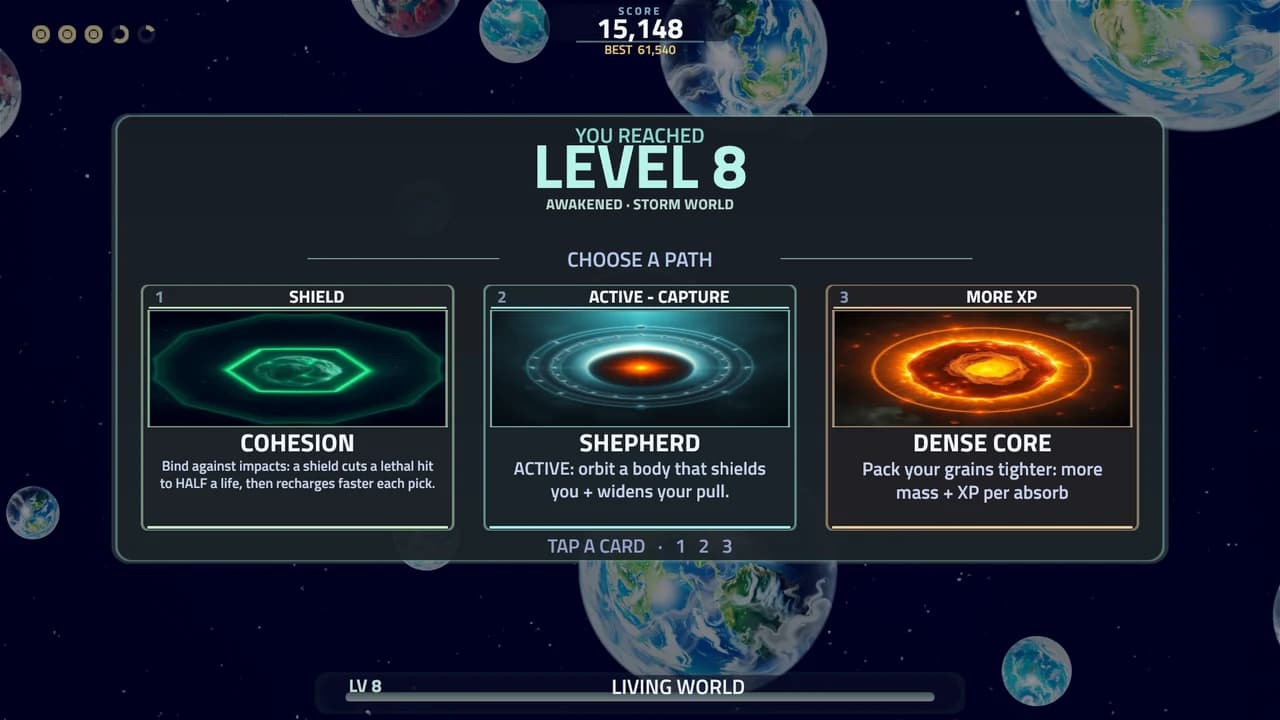
Cross a threshold and you evolve a tier. Each time, a Signature is granted and you pick one of three Path cards, and the picks stack over the run.
See all skillsFrom LV 2, the second layer
Absorbing and dodging carry you the whole way. From LV 2 you get more to do with the mass you have gathered, and each of these starts at the level on its step.
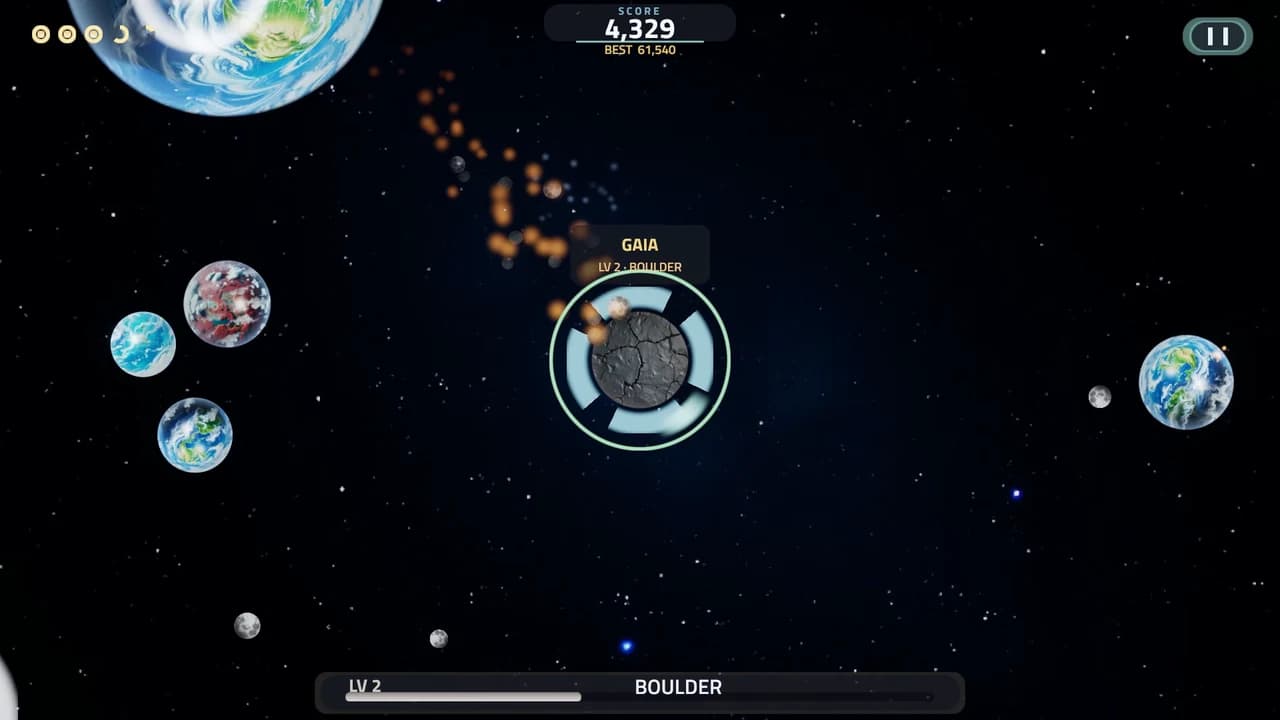
Burn
From LV 2, push past the thumb pad's outer ring to burn, or hold Shift on a keyboard. You spend a little mass for a burst of speed, and the pad turns ember while it burns. Hold it past two seconds and it heats up and costs more; let go and the next burst is cheap again. A burn is how you get clear of something big, and how you catch something fast.
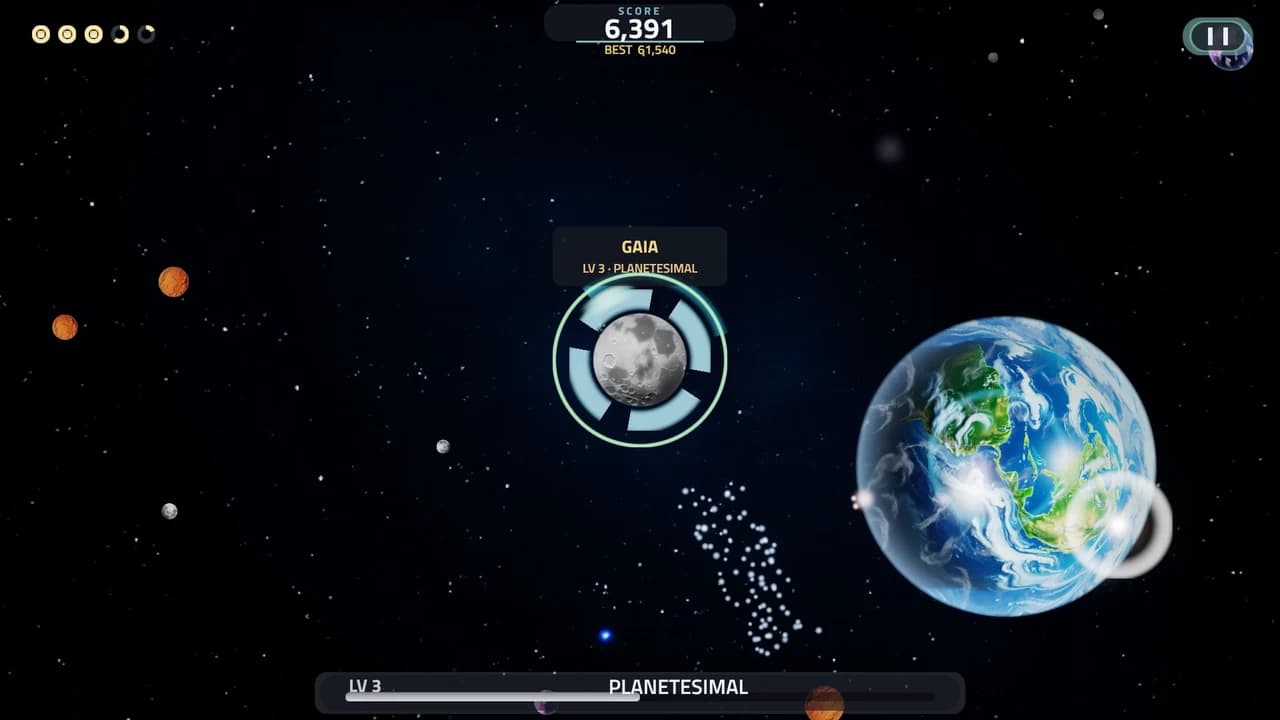
Skim
Pass close to a body too big to eat without touching it and you skim it. The closer and faster the pass, the more your Tidal Charge fills. The charge pays for a burn before your mass does, a good pass shortens your Shepherd cooldowns and scores, and at LV 10 it makes Reach pull harder.
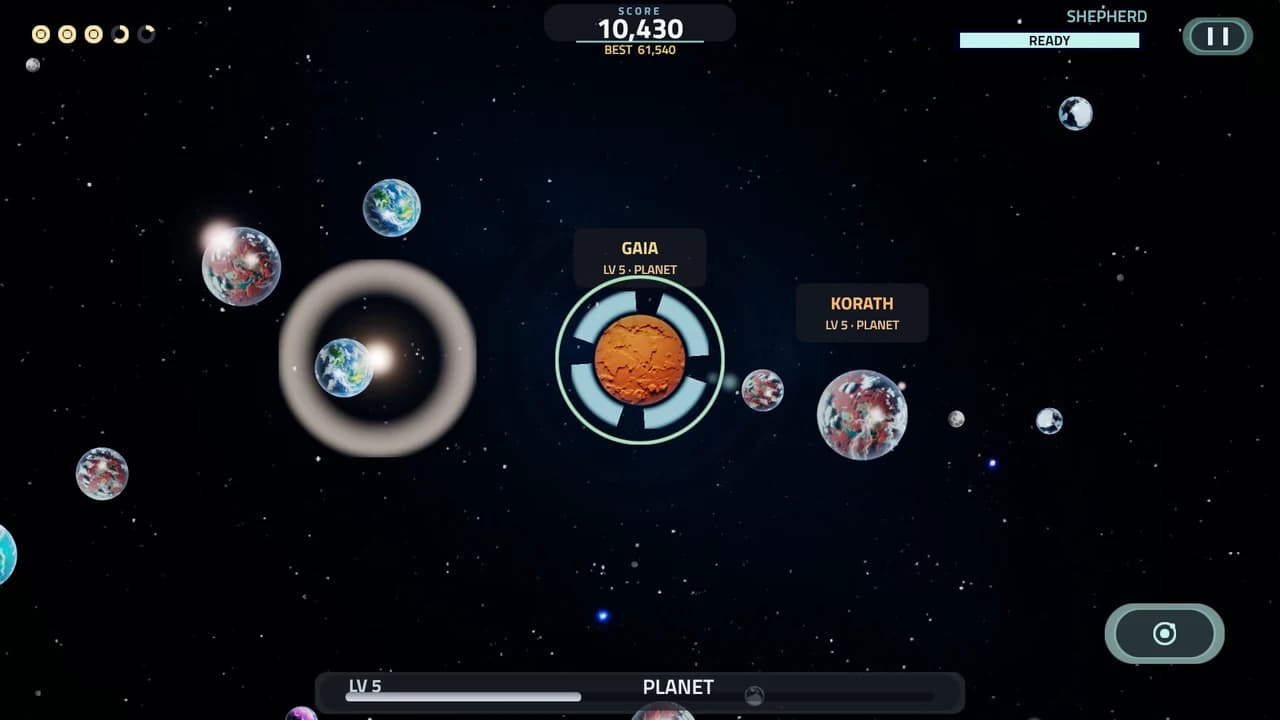
Throw a moon
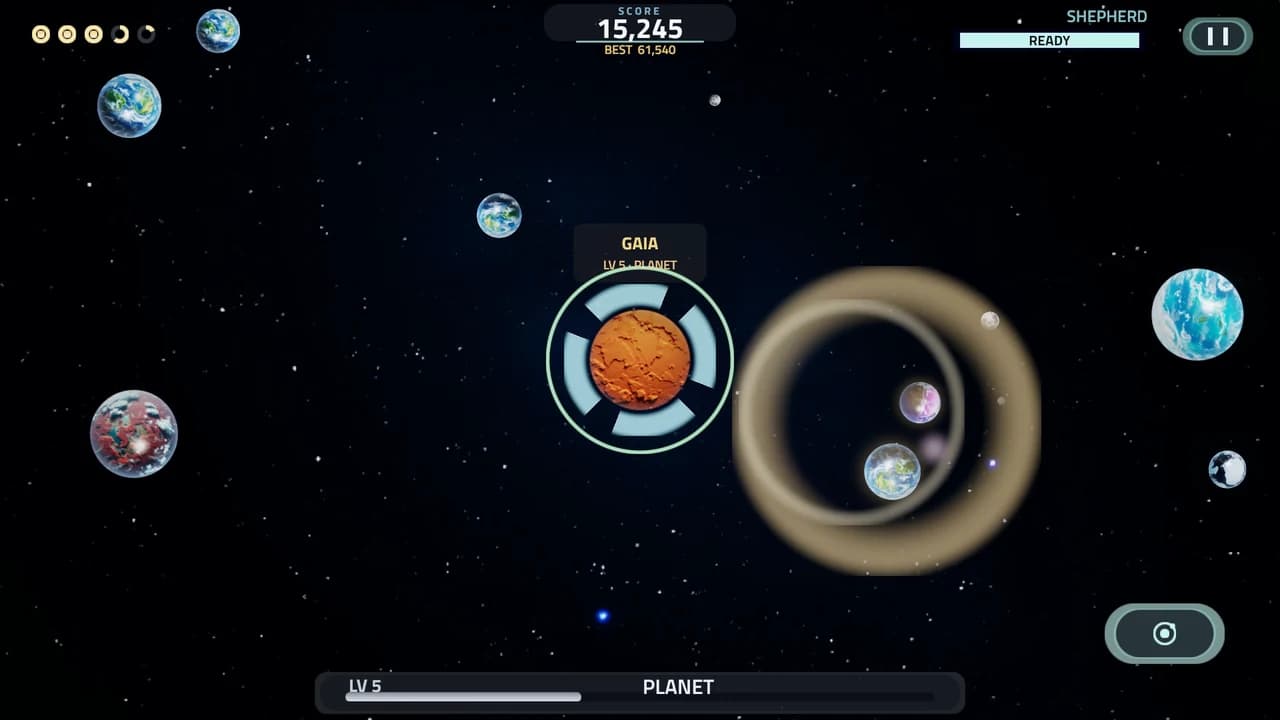
Hold the Shepherd button, lower right, past a quarter second to arm your outermost moon, then release to throw it the way you are steering. A small moon flies fast and a big one slow, and a thrown moon plows through anything smaller on its way. Throws have a four second cooldown.
Break a world
From LV 4 a hard throw breaks material off what it hits, and the pieces fly on for anyone to eat. Land two solid throws on a named rival in a short while and it shatters into debris. OLM is tougher and takes more. From LV 5 every rival carries moons, and a rival's moons stop your throws, so strip them first. Molten Core also becomes a ram: hit a near-equal body fast enough, with a burn or a gravity dive, and it breaks instead of you, for a tenth of your mass.
Read the sky
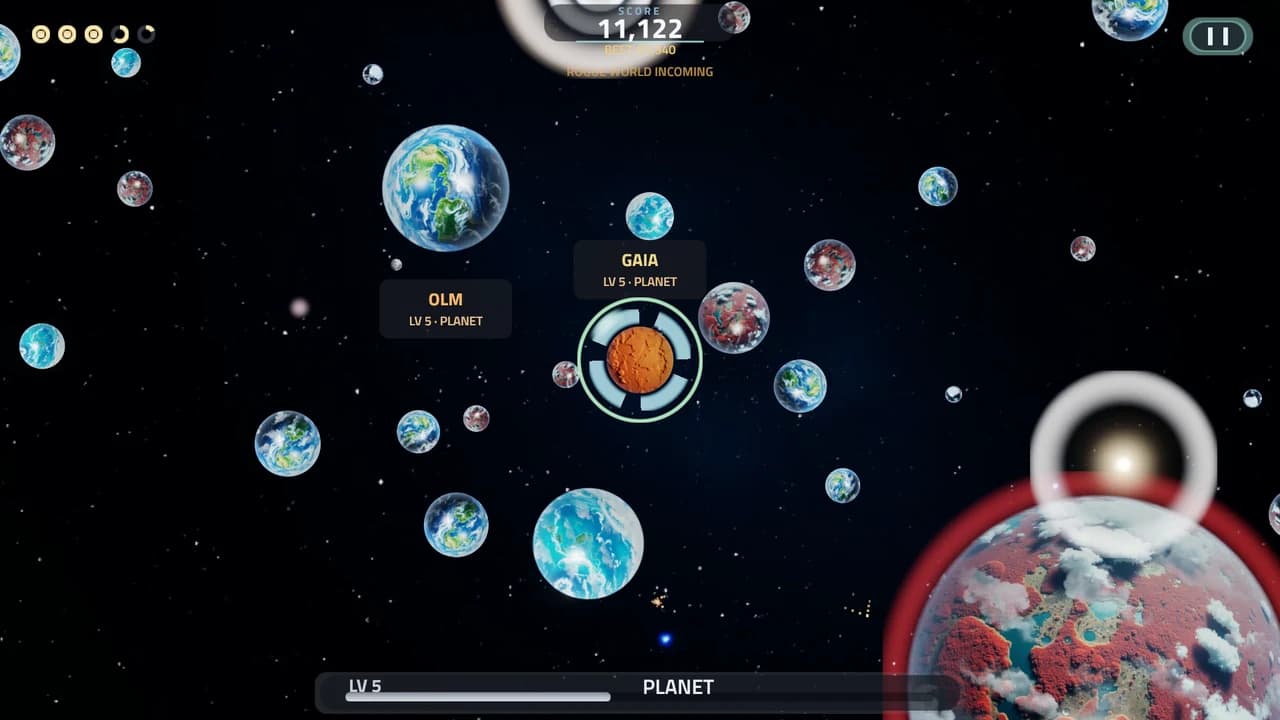
A little over a minute into a run, cosmic events begin. Each one arrives with a warning and an arrow at the edge of the screen pointing toward it: a comet stream, a debris bloom, a gravity well, solar wind, a rogue world or a moonfall. Some of them feed you and some of them can kill you. Each week one Cosmic Cycle, the same for every player, changes a part of the game, and the pause screen names it.
Your world awakens
At LV 8 your world takes a name from the paths you invested in most, and a faint aura in its color. Solar Wind wakes a Storm World, Cohesion a Fortress World, Shepherd an Orbital World, Dense Core a Massive World and Sticky Ice an Accretor World. Two strong paths make a hybrid such as Storm and Fortress World, and an even spread makes a Balanced World. Each one changes how your world plays for the rest of the run. At LV 9 your gravity starts tearing moons off the worlds that hold them.
What each awakening does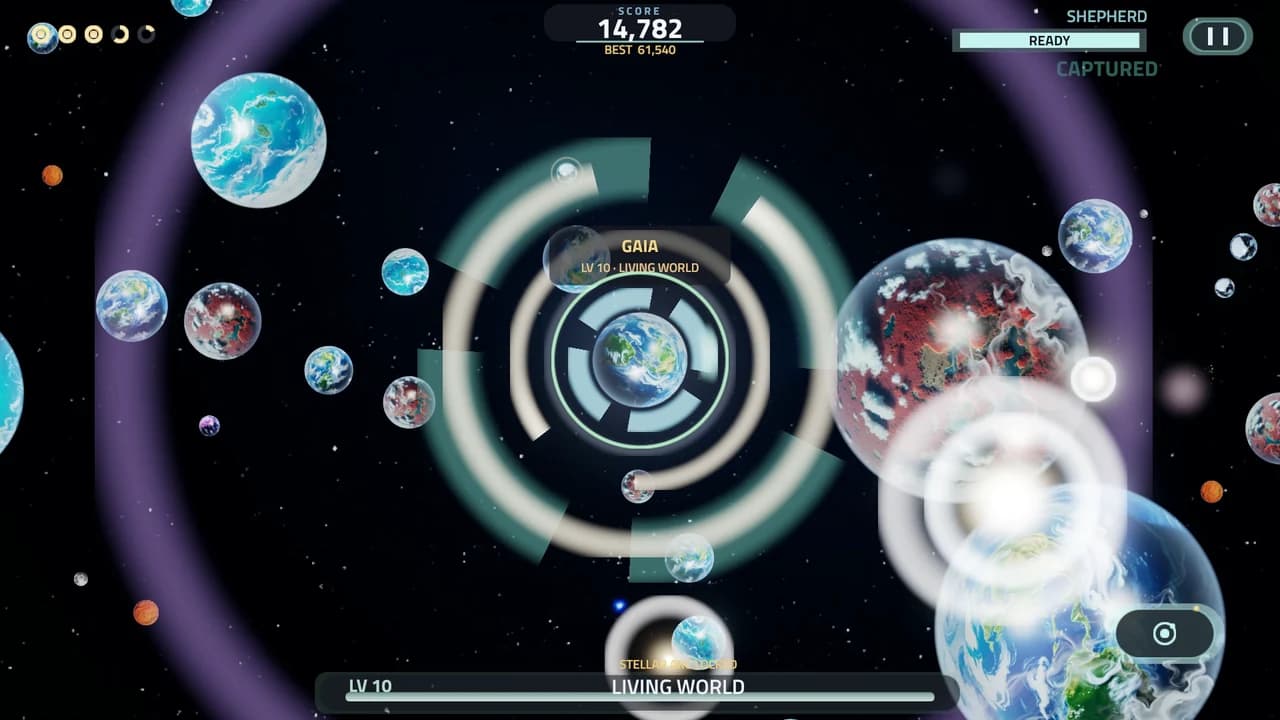
Reach
LV 10 offers Reach. Hold the Shepherd button about a second to charge it, full at two, then let go. Everything near you falls inward, the lighter the faster, and up to three worlds small enough to hold are seized into orbit and pay out. With half a Tidal Charge it pulls harder. The climb holds at LV 10 in this version.
Controls
Android and touch
- Drag anywhere below the top bar to steer; a thumb pad blooms under your finger. From LV 2, push past its outer ring to burn.
- The button on the lower right is Shepherd. Tap it to capture, or tap the field with a second finger while you steer. Hold it past a quarter second and release to throw your outermost moon. At LV 10, hold it about a second and release for Reach.
- Pause sits in the top right, and BACK pauses too. Tap a card to pick a skill.
Keyboard and mouse, in a browser
- Steer with WASD or the arrow keys, or hold the left mouse button and drag.
- Hold Shift to burn from LV 2, or hold the right mouse button while you drag.
- Space or Numpad 0 is the Shepherd button: tap to capture, hold past a quarter second and release to throw, and at LV 10 hold about a second and release for Reach.
- Press 1, 2 or 3, or click a card, to pick a skill. Esc pauses. R restarts, with a confirm if a run is in progress.
Get on the leaderboard
On Android, Accretion posts to two Google Play leaderboards, KNOWN WORLDS (all time) and THIS WEEK, and you do not have to do anything to submit a score. A run's score goes to the boards the moment it passes your best, and again at the run's end. Google keeps each player's highest score, so your best run holds your place.
If your name is missing
Google makes every new Play Games profile private, and private players are not listed on a public board. Your scores are still recorded. They are simply not shown to anyone else, which is why the board can look like it never noticed you.
The fix is in your phone settings, not anywhere inside Accretion.
Make your profile public
- Open Settings on your phone, then tap Google, then All services.
- Tap Play Games, then Privacy and settings.
- Turn on Public profile.
The same setting is in the Google Play Store app: tap your profile icon, then Settings, then General, then Play Games profile.
Play a run after that and your name shows up with your score.
Six named rivals
Every run has six named rivals, each with a temperament of its own. None of them is another player, and there is no real-time multiplayer in Accretion.
Meet the six rivalsLives and continues
You start with five lives. Run out and they refill over time, so you can hop back in and keep climbing. A bad night costs you nothing but the wait.
Where your world is kept
On Android it lives in Play Saved Games under your Google account, so a new phone picks up where the old one left off. In a browser it is tied to your Tideglass account and follows your email instead. The two are kept separate.
Questions players ask
- How do I install Accretion on Android?
- Open the Google Play listing for Accretion: Clash of Planets and tap Install. It is free. The package name is com.tideglass.accretion, so if a search turns up something else, that is not us. On a desktop you can scan the QR code on the Accretion page to send it to your phone.
- Do I need an account to play on Android?
- No. The Android game signs in with Google Play Games on its own the first time you open it. There is no account to create, no email to confirm and no password to remember.
- Does my progress sync between devices?
- On Android, yes. Your world is stored in Play Saved Games under your Google account, so signing in on a new phone picks the run up where the old one left it. The browser version is separate: it uses a Tideglass account tied to your email, and web progress and Android progress are kept apart.
- What changed in version 0.3.0?
- Version 0.3.0 adds a second layer to the climb. At LV 2 you gain Impulse Burn and Tidal Skimming, at LV 3 you can throw your moons, and at LV 4 a hard throw breaks worlds apart, two solid throws in a short while shatter most rivals into debris, and Molten Core becomes a ram. From LV 5 rivals carry moons, at LV 6 fast bodies burn up in your Atmosphere, at LV 8 your world awakens, at LV 9 your gravity tears moons loose, and at LV 10 Reach becomes a skill you fire. Cosmic events arrive with a warning, one Cosmic Cycle changes the rules each week, and the six rivals have temperaments. Planet names can be up to 16 characters, and Settings on Android gains HAPTICS, RATE ACCRETION and SEND FEEDBACK. The browser version runs the same game.
- How do I get on the leaderboard?
- Play a run on Android. Accretion posts to two Google Play leaderboards, KNOWN WORLDS (all time) and THIS WEEK, and there is nothing to submit: the game sends the score by itself. Other players see you there only if your Play Games profile is public.
- How does my score reach the board?
- A run's score goes to the boards the moment it passes your best, and again at the run's end. Before anything is sent, the game re-checks the run against its own recording. If your phone is offline, the score waits and posts when the phone is back online, and the menu says "score sync pending" until Google confirms it. Google keeps each player's highest score. A private Play Games profile is not listed on the public board.
- If I beat my own score, does my place on the all time board change?
- Yes, when the new score is higher. Google keeps one row per player on each board, and that row holds your highest score. A higher score replaces it and your rank moves up. A lower score never lowers it. THIS WEEK starts again each week, and KNOWN WORLDS never resets. RESET BEST in My Planet clears the BEST shown on your phone and ends the run; the score already on Google's board stays. In the browser, RESET BEST also resets your rank on the studio's season board.
- Why am I not showing on the leaderboard?
- Almost always because your Play Games profile is private. Google sets every new Play Games profile to private by default, and private players are not listed on the public board even though their scores are recorded. To appear, open Settings on your phone, then Google, then All services, then Play Games, then Privacy and settings, and switch Public profile on. The same setting is in the Google Play Store app under your profile icon, then Settings, then General, then Play Games profile.
- How do I report or hide a planet name on the board?
- Tap the row. In the Android game you get two choices: REPORT NAME opens our contact page with the planet name already filled in, so a person here reads it, and HIDE NAME takes that planet name off the rows on your phone, where it stays hidden. In the browser, a report goes straight to us for review. Google Play display names belong to Google, and the game never changes them.
- What are the rules for a planet name?
- A planet name is 2 to 16 characters: Latin letters, accented letters included, digits, single spaces, and an apostrophe or a hyphen between letters. Names are moderated, and one that is not allowed gets the line "Choose a different planet name." The Android game checks the planet names on board rows the same way before it shows them.
- Is there PvP or multiplayer in Accretion?
- No. There is no real-time multiplayer and no live opponent: you never share a field with another player. What you compete with is other players' scores: on Android the two Play boards, KNOWN WORLDS and THIS WEEK, and in the browser the studio's season board and ghost races against another player's recorded run.
- Who are the named rivals, and are they other players?
- Every run has six named rivals, each with a temperament of its own: KORATH hunts from farther off, VESPER waits near big bodies and strikes as you pass, OLM is dense, slow to turn and hard to break, CINDER goes after moons, yours included, NYX scavenges debris, and RHEA keeps moons of its own. None of them is another player.
- What is a Cosmic Cycle?
- One Cosmic Cycle is in force each week, the same for every player: Great Comet Passage, Rival Ascendancy, Moonfall, Solar Tempest, Heavy Universe or Fracture Season. Each one changes a part of the game for that week: more comets, stronger rivals, more moons to capture, a harder solar wind, bigger bodies, or fractures that break more. A cycle never repeats the week before it. The pause screen names this week's cycle, and a run that crosses into a new week takes the new one.
- What do HAPTICS, RATE ACCRETION, SEND FEEDBACK and DELETE MY GAME DATA do?
- They are in Settings in the Android game. HAPTICS switches vibration on or off. RATE ACCRETION opens the game's Google Play listing, where you can rate it. SEND FEEDBACK opens our contact page with a message already started. DELETE MY GAME DATA, after a confirm, erases the game's data on your phone and your Play Saved Games snapshot. It cannot remove your leaderboard score, which Google holds under your Play Games profile; the Play Store app removes it under Settings, General, Play Games profile, Privacy and settings, Delete profile and game data.
- What is Stardust?
- Stardust is the prestige currency. A run that ascends banks Stardust, and every banked Stardust permanently raises the experience and score you earn afterwards by two percent. It is why a long-term player scores higher than a new one on an identical run.
- What happens when I evolve?
- You gain a Signature automatically, one for each cosmic stage you reach, and you are offered three Path cards to pick one from. Signatures are guaranteed and never chosen. Paths are the choice, and they stack for the rest of the run, so two runs through the same stages can play completely differently.
- Can I play Accretion in a browser?
- Yes. The same game runs at tideglass.studio/accretion/play with no install, on the same 0.3.0 rules as the Android app. Browser play needs a free Tideglass account and is opening in stages, so depending on the current access mode you may be asked to sign in or request access first. Android is the quickest way in right now.
- Is Accretion free?
- Yes, on Android and on the web.
Get the game.